
Many CPAP machines record your therapy every night. Some show a summary on the screen. Others send data to an app or to your clinic. A CPAP report can feel like a pile of numbers at first.
Once you know what each number means, the report becomes a useful tool. This guide explains the common measures, such as usage, leak, and events per hour. It also explains why you should share your reports with your care team instead of changing settings yourself.
What a CPAP Report Usually Shows
Most reports cover the same few topics. The names change between brands, but the ideas stay similar. Your device or app may show a nightly view and a longer trend.
Common measures include:
- Usage: How many hours you wore the mask with the machine running.
- Leak: How much air escaped from the mask or around the seal.
- Events per hour (AHI): How many breathing pauses or reductions your device detected each hour.
- Mask on and off: How often you removed the mask during the night.
- Pressure: The pressure your device delivered during the night.
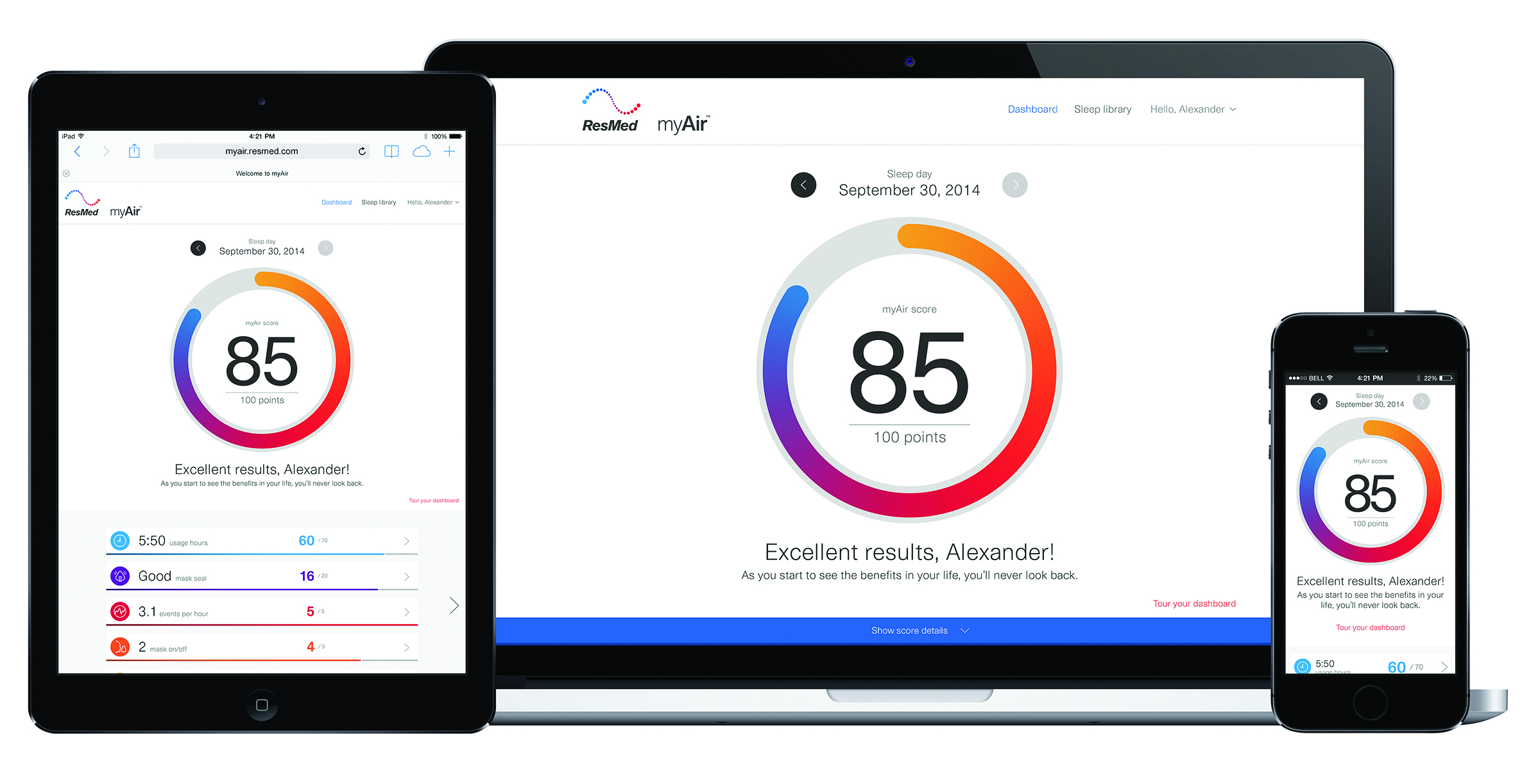
ResMed’s myAir app, for example, builds a daily score from usage, mask seal, events per hour, and mask on and off. Other brands use their own apps and layouts. Your provider can show you which screens matter for your device.
Reading Your Usage Hours
Usage is often the easiest number to understand. It shows whether you wore your therapy through the night. Short nights can happen for many reasons. You might have taken the mask off because of a leak, dryness, or a trip to the washroom.
Look for patterns rather than single nights. For instance, you may see short nights after a cold, or after you changed masks. Those patterns help your provider understand what is going on.
If your hours are low, do not feel judged. Instead, treat it as a clue. Something about comfort, fit, or routine may need attention.
Understanding Leak Numbers
Every mask has a vent that lets air out on purpose. This is normal and keeps fresh air moving through the mask. An unintentional leak is different. It happens when air escapes around the cushion or from your mouth.
Leak numbers vary by device, mask, and pressure. Because of that, no single number applies to everyone. Your report may also separate total leak from unintentional leak, so check which one you are looking at. Your provider can tell you what range is expected for your setup.
If your leak numbers suddenly rise, look for simple causes first. A worn cushion, a loose strap, or a shifted mask can all play a part. A quick refit while lying down is often the first thing to try.
What Events Per Hour Means
Events per hour is also called the apnea-hypopnea index, or AHI. It counts the breathing pauses and reductions your device detects each hour. ResMed describes these as apneas and hypopneas, where breathing partly or fully stops.
A lower number generally suggests your therapy is working well. However, a device report is not the same as a sleep study. It gives a helpful trend, but it does not replace a clinical review. Your clinician looks at the number alongside your symptoms, leak, and usage.
Several things can change the number. A bad leak can affect the readings. Congestion, sleep position, and alcohol can also play a role. That is why one odd night rarely tells the whole story.
Why You Should Not Adjust Pressure Yourself
It can be tempting to change a setting when a number looks off. Please resist that urge. Pressure is part of your prescription. Changing it without guidance can leave your sleep apnea undertreated or make you uncomfortable.
Instead, use the report to start a conversation. Your provider can look at your data and your symptoms together. They can then decide whether a review of your settings makes sense. Your comfort settings, such as ramp or humidity, are different from pressure, so ask which options your clinician is happy for you to adjust.
How to Share Your Reports With Your Care Team
A few small steps make your report far more useful.
- Save a few weeks of data. Trends matter more than one night.
- Take screenshots or print a summary if your app allows it.
- Note what changed. Write down new masks, colds, travel, or medication changes.
- List your symptoms. Mention morning headaches, dry mouth, or daytime sleepiness.
- Ask what to watch. Your provider can tell you which numbers to track.
If your clinic has remote access to your data, ask how often they review it. Also ask when you should reach out between visits.
Frequently Asked Questions
What is a good AHI number?
Your clinician decides what is right for you. Many factors affect the result, including leak and your own health. Ask your provider what range they expect for your situation.
Why is my leak high even though my mask feels fine?
Mouth leak or a shifting mask can happen without you noticing. Your provider can check your fit and your data. They can also suggest changes to your mask style.
Do I need to check my report every morning?
No. A quick glance can help, but you do not need to obsess. Weekly trends are usually more helpful than daily ups and downs.
What should I do if my numbers suddenly change?
Check for simple causes first, such as a worn cushion or a new cold. If the change continues, contact your provider and share your report.
Bring the Numbers to Your Provider
Reports are most helpful when you and your care team look at them together. Bring your data, your questions, and your mask to your next visit. Together you can decide what, if anything, needs to change.
Related Reading
Contact InspiAIR if you would like to talk through your CPAP report with your care team.

